New · Import straight from MyStudent

Your classes.
Your lock screen.

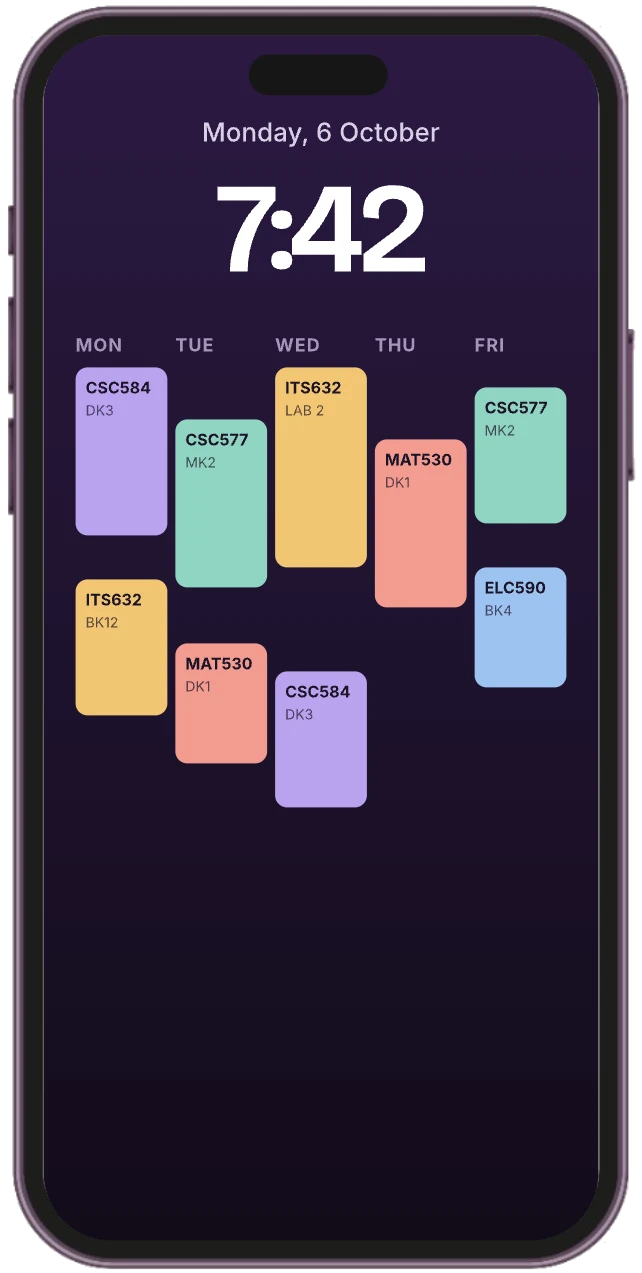
Turn your UiTM timetable into a wallpaper in under a minute. Import, pick groups, export.

No account needed · Or search by course code

Phone lock screen showing a colourful five-day UiTM class timetable

How it works

Four steps. One wallpaper.

Everything stays on your device.

1

Import with your student ID

We read your registered classes from MyStudent. Prefer to do it by hand? Search by campus, faculty and course code.

  • CSC584Enterprise ProgrammingCS2403A
  • ITS632Business IntelligenceCS2403C
  • CSC577Advanced DatabaseCS2403A
  • MAT530Discrete MathematicsCS2403B
2

Pick groups, catch clashes

Clashing groups are flagged before you commit.

3

Check your class canvas

Week or list view. Tap any class for room and lecturer.

4

Export your wallpaper

Styles, custom colours or your own photo.

FAQ

Questions, answered.

The short version: no account, nothing stored on our servers, and this isn't official UiTM software.

Still stuck? Report a bug
Is this an official UiTM app?

No. It's a student project that reads UiTM's public timetable portal and your MyStudent timetable. If MyStudent is down, import is down too, but manual search by course code still works because it reads the separate timetable portal.

Do I need to log in or share my password?

No. You only type your student ID. There's no account, and we never ask for your MyStudent password.

Where is my timetable stored?

In your browser. Your last import is saved on this device so you can pick up where you left off, and you can clear it from the Import step. Nothing is saved on our servers.

What if a class moves or a group changes mid-semester?

Import again (or re-add the subject with manual search), check the Subjects step and export a fresh wallpaper. It takes under a minute.

Why does it say my ID wasn't found?

Usually your timetable isn't on MyStudent yet, which is common before registration closes, or there's a typo in the ID. Check the digits, or add your subjects by course code with manual search.

Will the wallpaper fit my phone?

Exports are 1170 × 2532, sized for iPhone 15 Pro in portrait. On other phones, pinch to fit when you set it as your wallpaper.

Ready before your first class.

Free, unofficial, built by students.

Start with my student ID